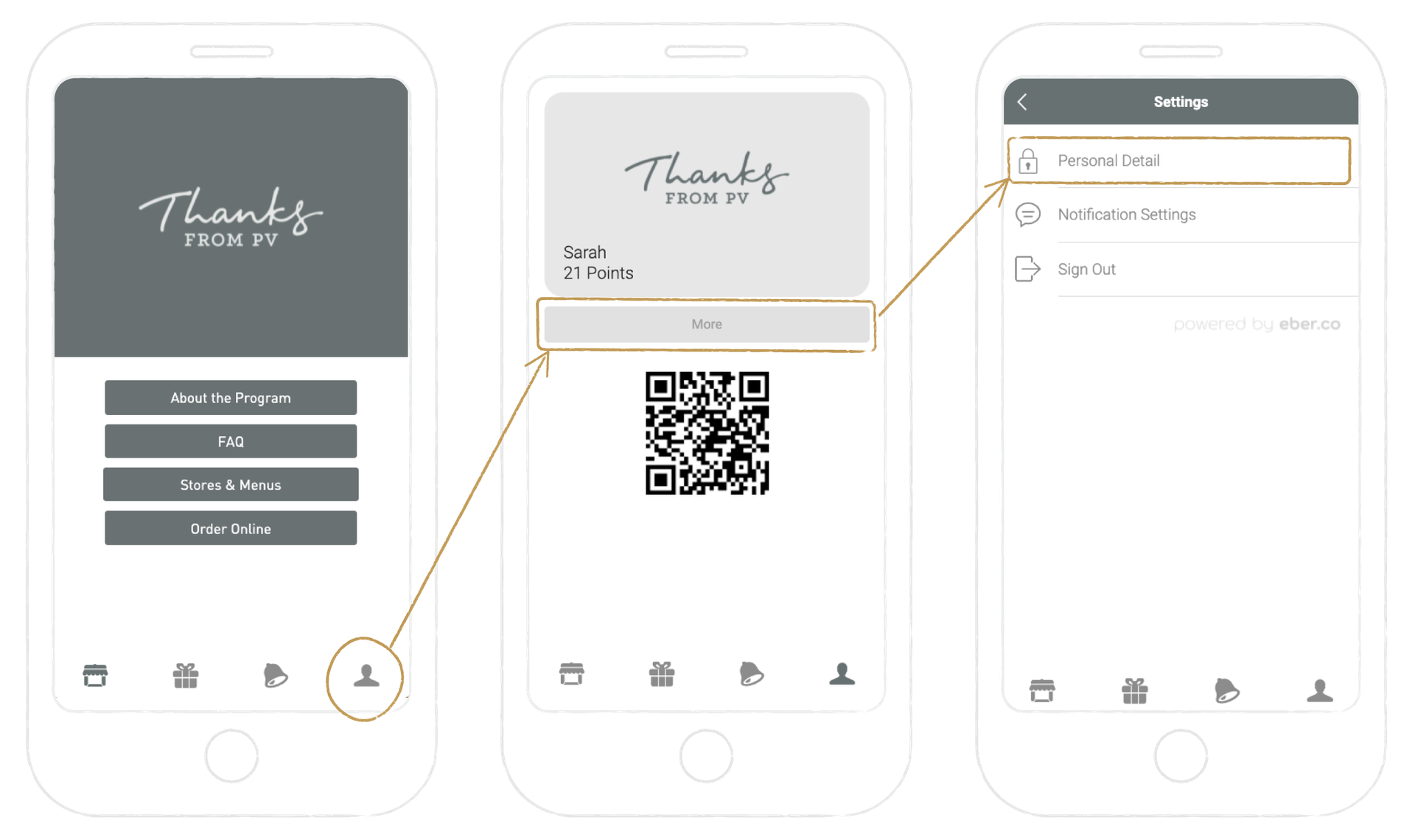
- How do I add a shortcut to Thanks From PV on my mobile phone?
For Android Users:
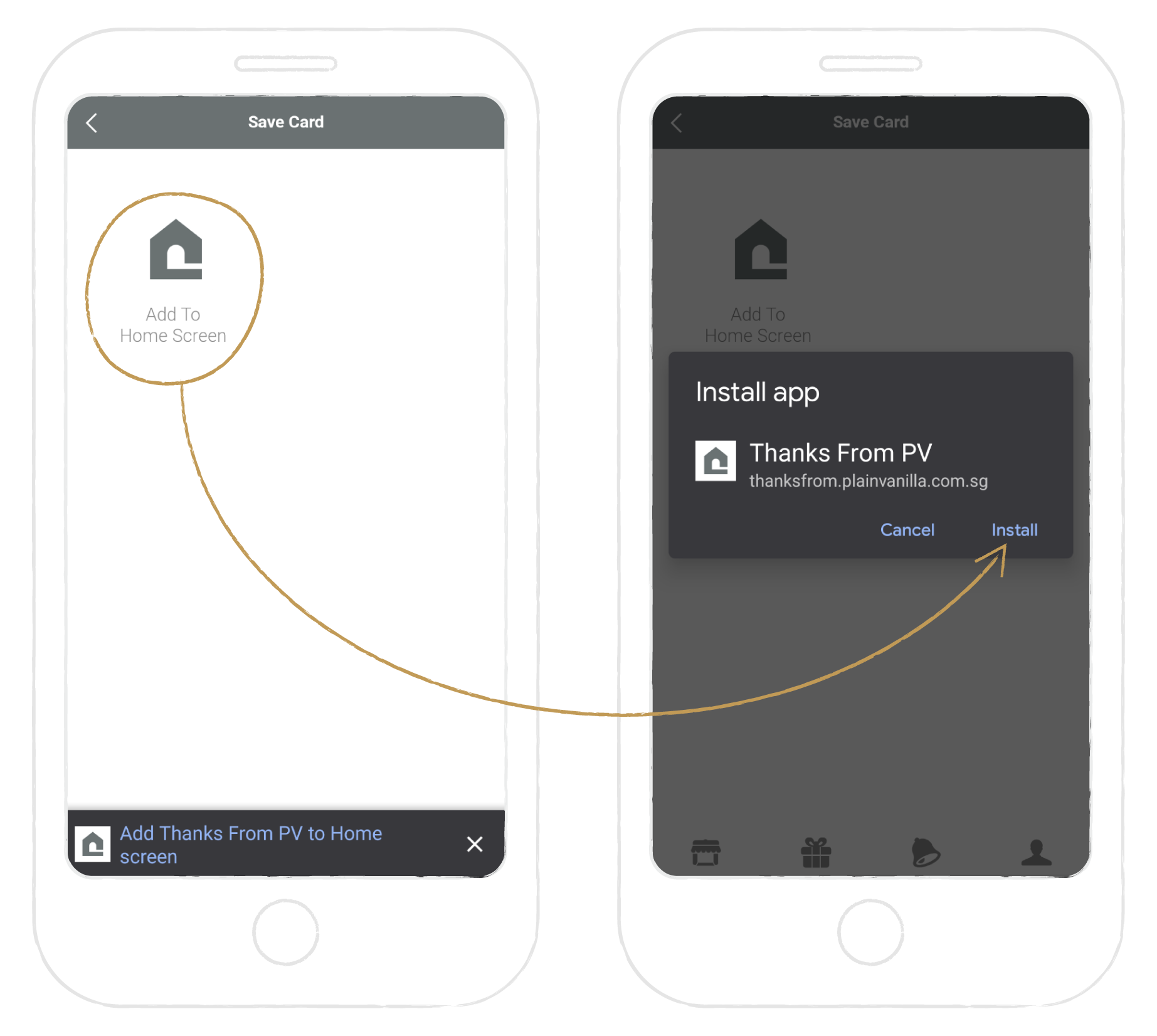
Click this link and tap on "Add To Home Screen". Then, click "Install" to add an app icon to your mobile device.
Add A Shortcut To Your Phone
For iPhone Users:
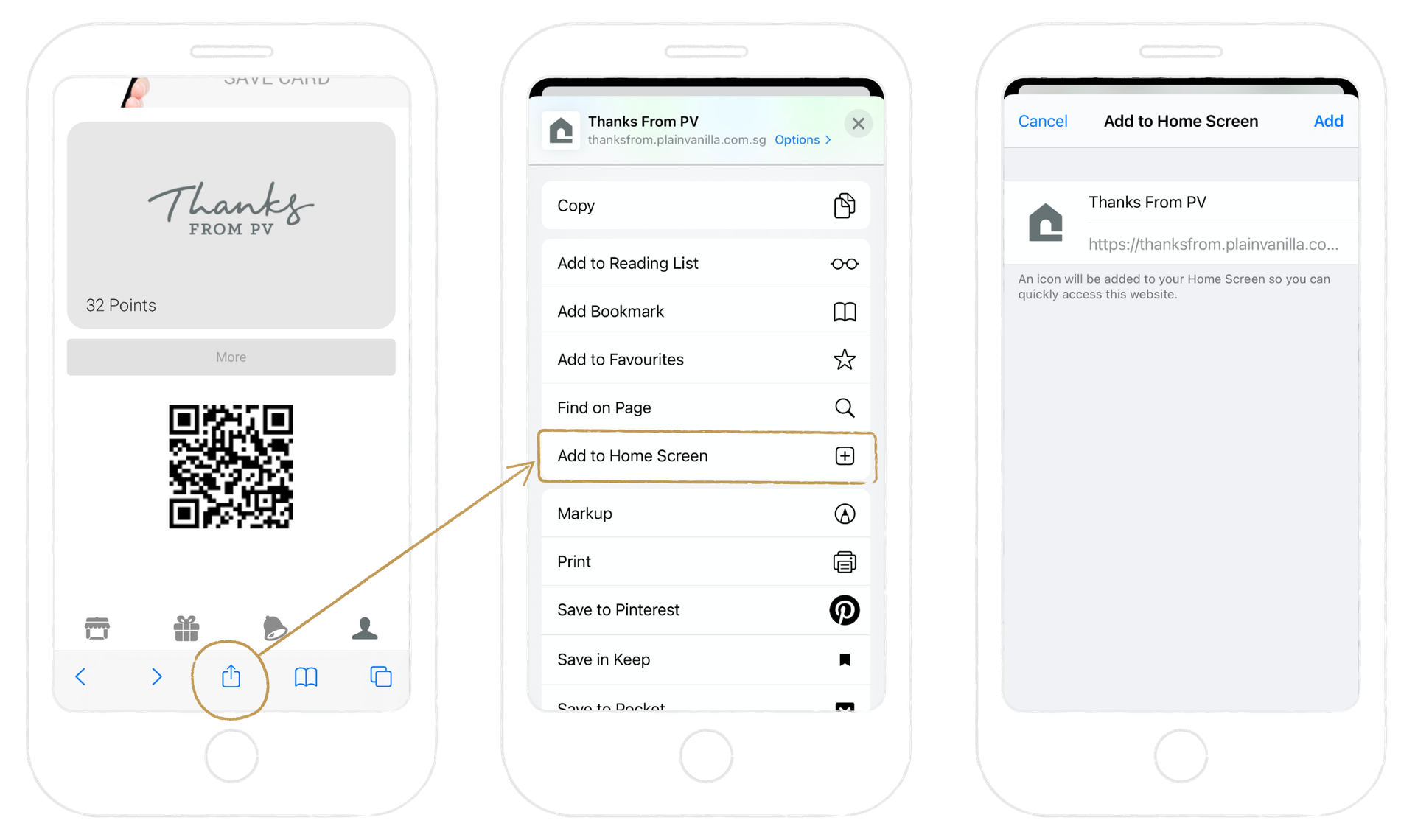
Ensure that you are using Safari to visit your account. Tap on the ‘Share’ icon on the browser’s URL. Then select ‘Add To Homescreen’ to add an app icon to your mobile phone.